Social Media for Cooperative Elections: Here’s What to Post and When

Click image to view full size.
Last Updated on October 1, 2026 by Hannah Seeley
Are you ready to use social media for cooperative elections? This tool keeps members informed and engaged at every stage of the election process, from before you even open voting to the final results. Still, you need a strategy behind every post. To make it work:
- Verify all election information
- Create a social media plan early
- Create digestible social posts that encourage members to act
Using social media for co-op elections should be more than posting a simple “Voting is open!” announcement on Facebook. For electric and broadband co-ops, social media should guide members through the entire process, from learning how board decisions affect their utilities to finding out who will represent them.
Social media gives your co-op another way to provide that information without asking members to search through their inboxes, bills, or member publications. After all, members are more likely to participate when they know what’s happening and understand their options.
So, what should you post on social media during an election? To answer that question, we turned to Pioneer Utility Resources, a communications cooperative that helps more than 300 community-owned utilities and broadband providers connect with their members through in-person, print and digital content. Learn how utility co-ops can strengthen election communication from start to finish, plus how SBS’s partnership with Pioneer makes co-op social media easier than ever.
Why Every Co-op Election Needs Social Media
People can’t participate in an election if they don’t know it’s happening. Even members who intend to vote can miss an email or forget a deadline. Social media gives you more opportunities to reach them.
It also helps you:
- Explain why the election matters and how elected directors shape the co-op’s priorities and services
- Reinforce important election dates and instructions
- Direct members to candidate profiles, videos, FAQs, and other resources*
- Answer common questions (before they turn into repeated calls and emails)
- Reach members who missed your emails or printed notices
Some co-ops are afraid of overwhelming members with too many notices across different channels, but a little repetition is actually a good thing. Members are busy, and they probably won’t remember every date or voting instruction after seeing it once. Well-timed communication can remind them about the election when they’re ready to take action.
Social media won’t replace your other outreach efforts, but it can make your overall cooperative election communication plan stronger. In fact, in a study published in Nature, researchers tested whether Facebook alerts would encourage more people to vote in a government election. And they did.
Users who saw a Facebook message showing that their friends had voted were 0.39 percentage points more likely to vote. That may not sound like much, but it was significant enough to generate about 60,000 additional votes.
Government elections are different from co-op elections, but research still suggests that social media outreach can help get out the vote. Timely prompts and a few friendly nudges really can make the difference, especially on a no- to low-cost channel like social media.
How to Use Social Media for Co-op Elections at Every Stage
Using social media for co-op elections is a smart choice, but it’s tough knowing what to say. What do you post, and when?
Think of election communication as a journey. Before voting, your job is to build awareness and answer early questions. While voting is open, you want members to act. Afterward, you need to close the loop. Here’s how that journey looks for co-op members.
Before Voting Opens
Don’t wait until ballots arrive to begin talking about the election. As Sarah Lancaster, Senior Director of Client and Partner Strategy at Pioneer Utility Resources, explains, “Election communication shouldn’t begin when the ballot arrives. Cooperatives have an opportunity to build awareness well before voting opens by helping members understand why the election matters, who is running, and how their participation shapes their cooperative. Social media works best as one part of that larger communication strategy.”
Start by helping members understand why they should vote. What does the board do? How do directors represent members and guide the co-op’s future? Why does voting matter, anyway?
You don’t need to cover everything in a single post. Build a series of co-op election social media posts, each addressing one topic at a time.
Your pre-election content should include:
- Election dates: Share nomination deadlines, candidate announcements, ballot distribution dates, the voting period, the voting deadline, annual meeting information, and when members can expect results.
- Candidate nominations: Tell members when nominations open, who’s eligible to run, and how they can submit a nomination. Share several reminders throughout the nomination period, so interested members have time to complete everything before the due date

- Candidate introductions: Post candidate photos, biographies, statements, or links to your candidate information page*. Be sure to include each candidate’s district, co-op or community experience, and candidate statement.
- Voting instructions: Explain whether members will vote online, by mail, in person, or through a hybrid process. If something has changed since the last election, use posts to guide members to your website and address it thoroughly right now. You may also need to explain eligibility rules, changes to district-specific ballots, and how joint members can vote.
- Frequently asked questions: Review questions from last year’s election for inspiration. You can also ask a few members to review your planned communication and point out anything that isn’t clear.
- Countdowns: Schedule reminders leading up to the first day of voting. You can always pre-schedule these so your team doesn’t have to remember to post the day voting begins.
Keep each post focused on one thing. If you try to squeeze every date, rule, and instruction into one graphic or post, members may scroll right past it.
While Voting Is Open
Once voting opens, your job is to go beyond awareness and convince members to take action.
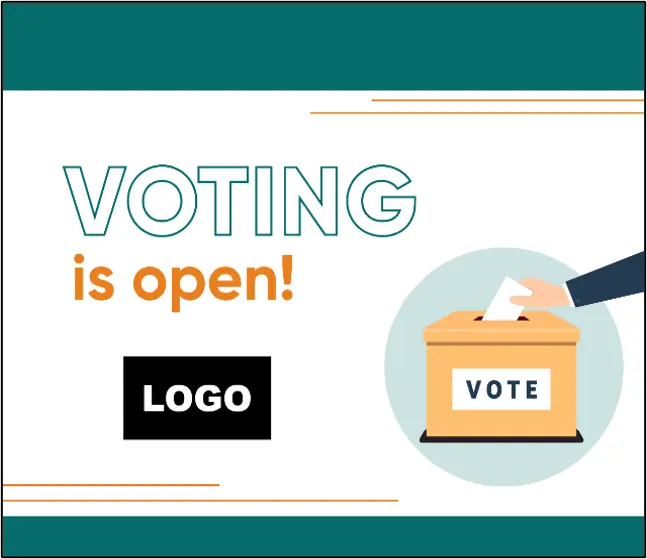
Start with a big announcement that voting is now open. It should include important deadlines, list available voting methods, and clearly explain next steps. If there’s an official election page or voting link*, share it in this post.
After the big announcement goes out, stay in touch with members throughout the voting period. You can post:
- Voting instructions: Break the process into a few simple steps and link to the complete instructions. Better yet, make a simple graphic so co-op members can quickly understand how voting works.
- Deadline reminders: Let members know when they have one week, a few days, and one day left to vote. A countdown-style graphic here could create just enough urgency to get members to act.

- Answers to current questions: Address the issues members are encountering now, like what to do if they didn’t receive a ballot or where to get technical support.
- Annual meeting information: Share when and where the meeting will take place, how members can attend, and when results will be announced.

Chances are, members will reach out to you with questions during voting. That’s normal, but if you get several questions about the same thing, that’s a sign you need to do another post or update your election FAQ.
After Voting Closes
Congratulations, voting is complete! But your work isn’t done just yet.
Start by thanking members for participating. If you have verified data available, share how many members voted or whether participation improved compared with last year. After you certify the results, announce them through all of your official channels.
You can also use post-election content to:
- Introduce newly elected directors and the districts they represent
- Explain when new board terms begin
- Remind members where they can follow future board and annual meeting updates
3 Tips for a Successful Co-op Election Social Media Campaign
Knowing what to say and when is a great start, but simply posting content isn’t enough. Follow these best practices to plan cooperative election communication that deepens your connection with members.
Verify All Election Information
Nothing derails an election faster than inconsistent information. Members shouldn’t see one date on Facebook and a different one in their email.
Before publishing, confirm that your social posts match the information in your:
- Emails
- Co-op newsletter or member magazine
- Website and member portal
- Bill inserts
- Printed notices
- Annual meeting materials
- In-person events
- YouTube videos
Consider creating one central election page on your website. It can include candidate information, voting instructions, deadlines, FAQs, and support details. Then, direct your other communications back to that page.
Create a Social Media Plan Early
Like any election communication for co-ops, social media benefits from plenty of advance planning. Don’t wait until the ballots are ready to plan your social media content. Bring your communications team and election administrators together early so everyone knows how you’ll use social media for co-op elections.
Work together to decide:
- What you want the campaign to accomplish
- Which members you’re trying to reach
- Which platforms you’ll use
- What messages you’ll share and when
- Who will create and schedule posts
- Who needs to review content
- What information can (and can’t) be shared publicly
- How social media will support your other election communications, like direct mail and newsletters
Make sure your plan focuses on the platforms where members spend time online, and not the platforms you personally prefer. According to Pew Research Center’s 2025 social media research, 84% of U.S. adults use YouTube, 71% use Facebook, and 50% use Instagram. Even if your team prefers Instagram, for example, you may need to invest in other platforms (and maybe even video content) to reach co-op voters where they already are.
Make Content Simple and Accessible
Social media feeds move fast, so don’t bury the most important election details at the bottom of a long caption. Put the most important action or date near the top so members can easily follow through.
You can also boost cooperative member engagement by:
- Designing simple, clutter-free graphics
- Making text large enough to read on a phone
- Captioning all video content
- Breaking multi-step processes into graphics
- Including links* and resources whenever possible
You might be building the campaign on a desktop computer, but remember that mobile accessibility matters for busy co-op members. In fact, 16% of adults are smartphone-only internet users, so they don’t even have at-home broadband service to access a laptop or desktop. Use large text, simple graphics, and mobile-optimized web pages to give on-the-go voters the best possible experience.
You Don’t Have to Manage Cooperative Election Communication Alone
Running an election is no small feat, especially for smaller co-op teams. When you add social media graphics, posts, and approvals to your to-do list, it’s easy to feel overwhelmed. Fortunately, you don’t have to handle everything on your own.
SBS helps co-ops manage secure, successful elections, while Pioneer has decades of experience helping electric and broadband cooperatives communicate with their members. Together, we make your election and the communication surrounding it easier to manage.
Through this partnership, co-ops that partner with SBS automatically receive ready-to-use election graphics customized with their logo and brand colors, along with captions the team can tailor and publish on social media. You don’t have to start from scratch every time you need to announce nominations, remind members to vote, promote an annual meeting, or share another election update.

Ready to boost voter turnout? Contact SBS to discuss your next co-op election.
*Meta One may limit sharing of links/month in social posts. Be sure to plan accordingly.

Tina joined the SBS team in early 2024 as a Marketing Specialist. Her passion for marketing, communications, product management, and customer service hails from a diverse background in health and wellness. As an award-winning product manager, Tina brings a wealth of experience to the team and a broad perspective to help our clients succeed in their elections.