From Check-In to Results: How Drive-Thru Voting Streamlines Elections
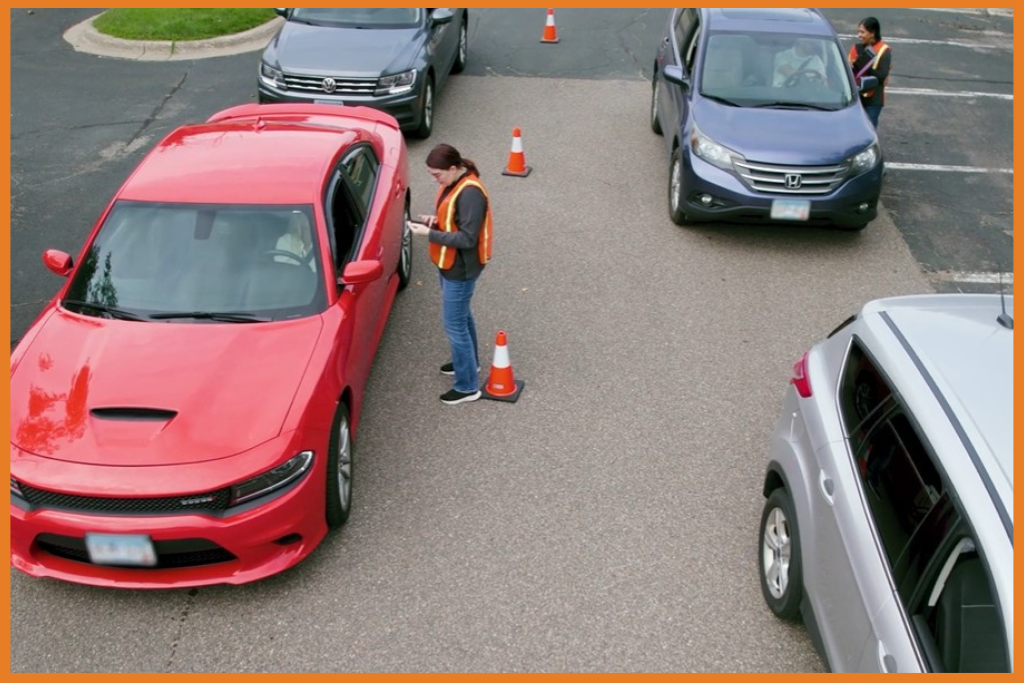
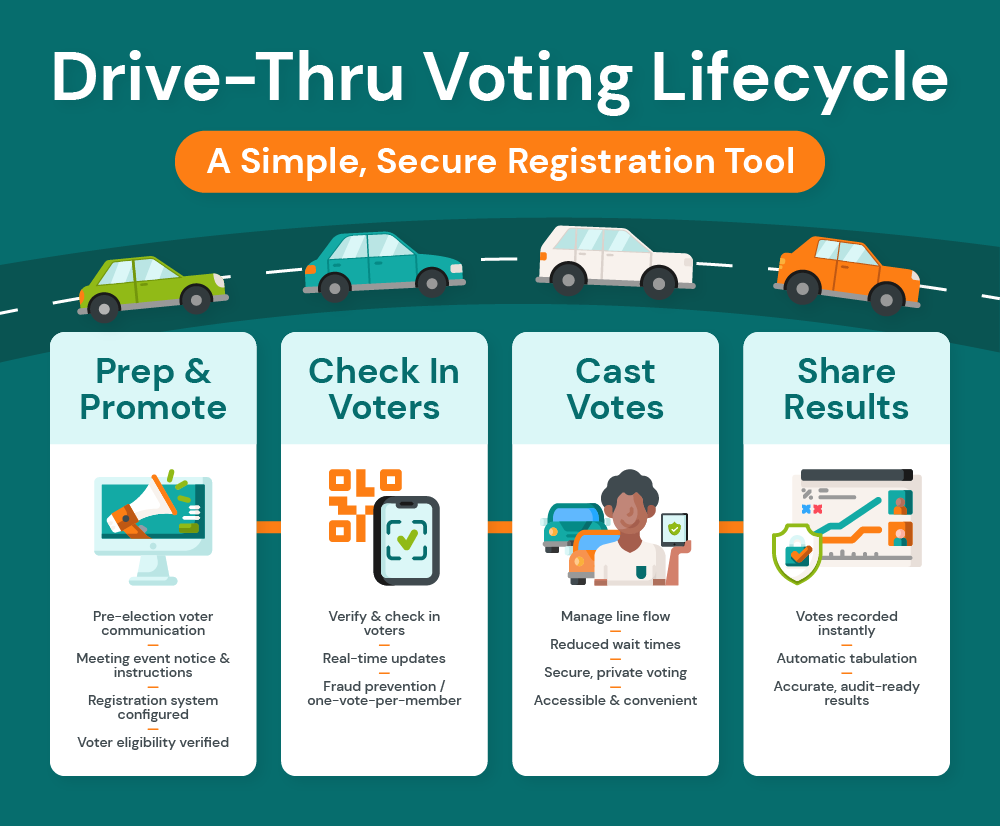
Click image to view full size.
Last Updated on April 27, 2026 by Hannah Seeley
A step-by-step look at registration, credentialing, and real-time tabulation for in-person and drive-thru voting.
With a digital voting platform in place, you can set up drive-thru voting by:
- Preparing the ballot and promoting the election
- Checking members in with a registration tool
- Casting votes digitally
- Sharing results on the same day
Drive-thru voting might sound old-school, like we’re harkening back to the days of drive-thru movies. But it’s actually a smart, forward-thinking way to run a modern election for your cooperative. It combines the familiarity and reassurance of in-person voting with the speed and convenience of digital tools. With this option, members can check in, cast a ballot, and move on with their day without ever leaving their car.
If you want to make voting easier while preserving election integrity, drive-thru voting offers the best of both worlds. Learn why drive-thru voting is making a comeback and how to make it doable for your organization. We’ll also show you how the process works using tools like SBSHub for registration and check-in, alongside a secure digital voting site.
Why Offer Drive-Thru Voting?
Drive-thru voting gives members a simple way to cast their ballots without ever leaving their vehicle. Using a mobile tablet or smartphone, voters can securely access and submit their ballots on the spot.
Drive-thru voting combines the convenience of digital voting with the reassurance of an in-person process. And that convenience matters. When voting is easier, more people actually do it. For example, in West Virginia’s government elections, providing mobile voting access increased turnout by 3 to 5 percentage points.
Offering voting in a drive-thru comes with so many perks for member organizations, including:
- Better engagement: Reducing friction makes it easier for members to show up and vote, especially for those who might otherwise skip it. Offering access via PIN or QR code, along with a mobile-friendly interface, also gives voters a much more seamless experience than traditional paper ballots.
- Improved accessibility: Drive-thru voting is ideal for members with mobility challenges or disabilities.
- Speed: Digital submission eliminates the need to hand-count paper ballots, reducing delays and administrative workload.
- Security: The upside of a drive-thru is that you can verify a voter’s identity in person, which preserves election integrity and trust.
- Increased accuracy and auditability: Using a digital drive-thru election system reduces human error. You get real-time reports and accurate, easily traceable data, making post-election audits a breeze.
Drive-through voting works because it meets voters where they are. It allows you to provide security and accuracy, all while improving participation and accessibility.
Palmetto Electric Cooperative saw these benefits firsthand. The co-op implemented drive-thru voting to offer in-person voting during the pandemic, but paper ballots slowed everything down. By moving to electronic ballots with SBS, the co-op saved time and delivered faster, more reliable results.
Planning for the Challenges of Drive-Thru Voting
Drive-thru voting is designed to make participation easier. But as with any election format, there are some things to consider before rolling it out. Fortunately, all of these challenges are easy to plan for.
Think through these key areas before launching drive-thru annual meeting voting:
- Connectivity issues: Not all voters will have reliable internet access or smartphones. To keep things moving, provide on-site devices, like tablets with internet access, with secure connectivity so every voter can participate without delays.
- Legal considerations: Before implementing a drive-thru model, confirm that your organization’s bylaws and state statutes allow this type of voting. If they don’t allow drive-thrus or digital voting, you may need to update your bylaws before election season.
- Communication: For many voters, drive-thru voting will be a new experience, which could deter some voters. You can prevent misunderstandings and confusion with a strong pre-election communication plan. Explaining how drive-thru voting works and its logistics helps eliminate confusion and ensures voters know exactly what to expect before they arrive.
- Participation concerns: While drive-thru voting is convenient, requiring members to vote within a specific time window and at a specific location can still limit turnout for those with scheduling conflicts. Offering complementary options, like online voting, can help maximize participation.
None of these challenges are deal-breakers, but they’re important to consider. Failing to think through the details could derail your plans to streamline with digital voting.
How Drive-Thru Voting Works with SBS Tools
So, how do you set up the infrastructure to run a drive-thru election? Survey & Ballot Systems makes it easy to offer verifiable, in-person voting with our secure digital tools.
Using the SBS Annual Meeting Registration Tool – available within the SBSHub as an additional service – you can manage everything from check-in to real-time tabulation in one workflow. Here’s how it works:
Prepare and Promote the Election
Your SBS project team builds and customizes the ballot within the voting platform with verified voter data from SBSHub. Once our team sets up the system, election administrators can manage certain registration details. Add individual voters during check-in, customize fields, or configure optional features like prize drawings to boost engagement.
Equally important is communication. Members need to know exactly how the drive-thru process works before they arrive. Repeatedly share details like:
- The event date, time window, and location details
- What to expect when they arrive (check-in, voting from their vehicle, etc.)
- Whether they’ll need a smartphone or if devices will be provided
- Instructions for using a PIN or QR code, depending on the voting method
Check In with the Registration Tool
As voters arrive, staff use the SBS Annual Meeting Registration Tool to manage check-ins. The system instantly verifies the voter’s identity and eligibility and whether they’ve already cast a ballot (including early or absentee voting, if applicable). If the voter hasn’t participated yet, the system allows staff to register them and issue a ballot.
Depending on your setup, this might mean:
- Directing the voter to use their own smartphone
- Providing a tablet or iPad on-site
- Guiding members to a designated lane for help
Because everything updates in real time, there’s no lag or manual reconciliation required. This keeps traffic moving and prevents duplicate voting.
Cast Votes
Once checked in, voters are directed to a secure voting site to complete their ballot in the comfort of their vehicle. SBS supports two methods for accessing ballots:
- PIN: This option is better for single-location, onsite-only voting. Staff provides voters with an anonymous PIN, allowing them to securely access their ballot while preserving anonymity. Built-in safeguards prevent duplicate voting, and members get their ballots instantly after entering their PIN.
- QR code: This is better for hybrid, early, or absentee voting. With QR codes, voters use their phones to access the ballot, giving them more flexibility. It also synchronizes with your early voting data, ensuring no one can vote twice.
The SBS platform is designed to make this step both simple and secure. Voters can:
- Access their ballot via a secure link tied to their PIN or QR code
- Review candidate information and ballot measures at their own pace
- Submit their vote instantly, without needing to return a paper ballot or interact further with staff
Share Results
Once the voting window closes, SBS staff will finalize the results and share them via SBSHub. From there, it’s as simple as logging in to SBSHub to download your report and share it with your members.
The SBS platform:
- Automatically tabulates votes as members submit them
- Provides accurate results with a clear digital record
- Allows administrators to review and finalize outcomes quickly
Results are finalized and shared shortly after voting closes. They usually come through within 15 minutes on the final day of voting, whether you have a single-day or multi-day election. That immediacy is great for staff, but it also builds trust with members by sharing election outcomes ASAP.
Streamline Your Election Without Cutting Corners
Drive-thru voting is a practical option that makes elections more convenient without sacrificing security or accuracy. With the right plan and platform, you can verify voters in person, quickly issue ballots, and tabulate results in real time – all while giving members a better experience.
Still, you need a trustworthy digital voting platform to make in-person voting possible. Organizations rely on Survey & Ballot Systems to run secure drive-thru elections. See how our annual meeting voting platform can modernize your voting process: Check out SBSHub.

Tina joined the SBS team in early 2024 as a Marketing Specialist. Her passion for marketing, communications, product management, and customer service hails from a diverse background in health and wellness. As an award-winning product manager, Tina brings a wealth of experience to the team and a broad perspective to help our clients succeed in their elections.